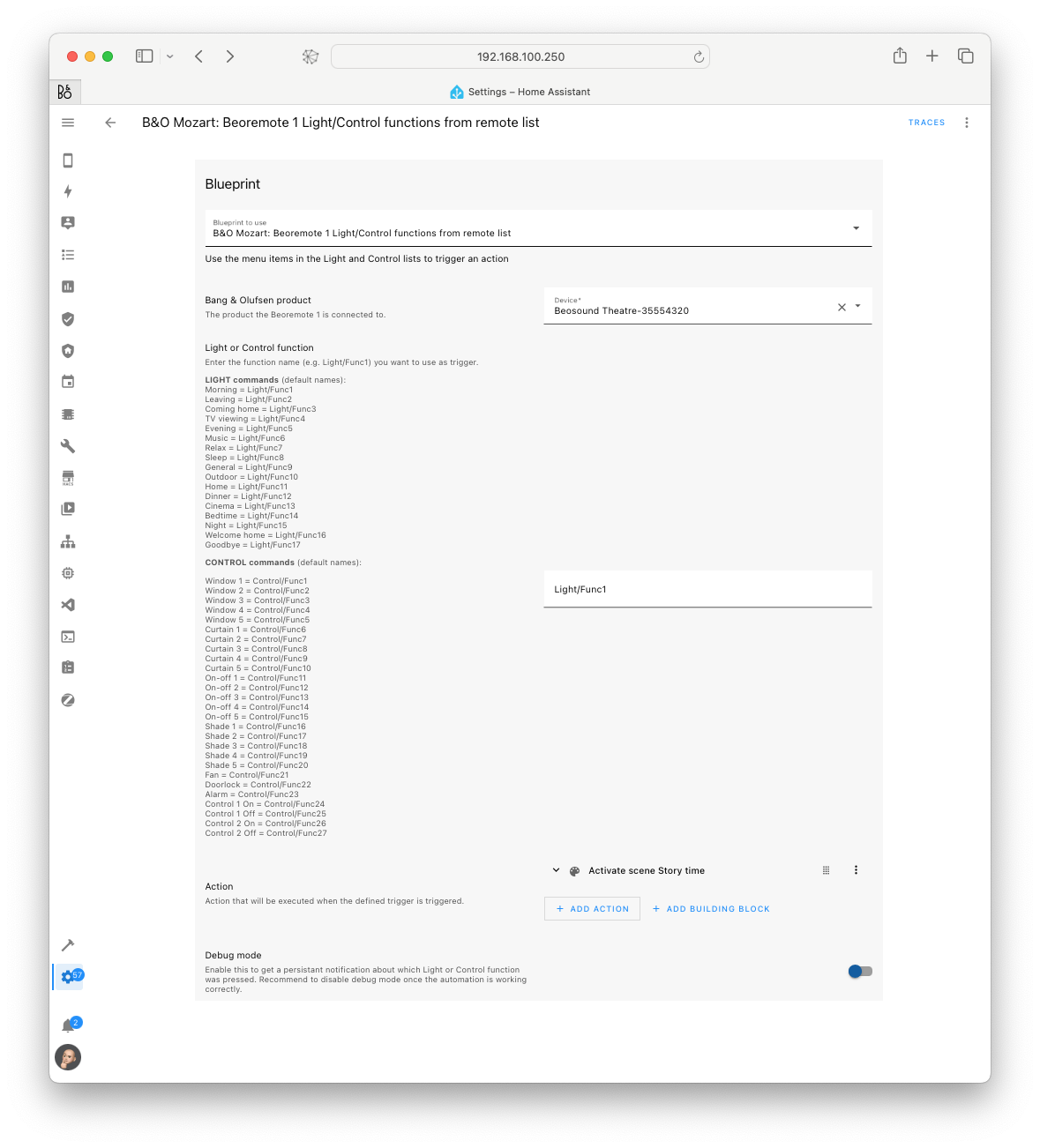
A blueprint to set up scene control with Beoremote One BT and a Mozart-based product.
- Select your Mozart product in the dropdown menu.
- Enter the function (e.g.
Light/Func1) you want to trigger the scene with. All functions are described in the blueprint. - Select the action that should be triggered by that function. This can be any service call, e.g.
scene.turn_on.
Renamed buttons
If you have renamed the scenes on your remote, they won’t match the documentation. To find the function name of a renamed button, enable the debug mode toggle. Every time a Light or Control item is activated, a notification with the name of the selected function shows up in the Home Assistant notification panel. Disable debug mode again once the automation works as expected.
How to use it
Press List on your Beoremote One BT, navigate down to Light or Control and press the right-arrow key. Navigate to the function you want to activate and confirm with the center button.
Screenshots